Two prompts, separated by sessions, with HTML notes alongside the code. That is the whole methodology.
Spec-driven development is the dominant pattern of 2026.
You can see it everywhere if you know what to look for. GitHub’s Spec Kit, AWS built an entire IDE around the concept with Kiro. Anthropic added “track your confidence levels in progress notes” to the official Claude prompting best practices. OpenAI shipped AGENTS.md, Skills, subagents, and codex exec natively in Codex CLI. Even Karpathy walked back vibe coding and declared agentic engineering the era that replaces it…
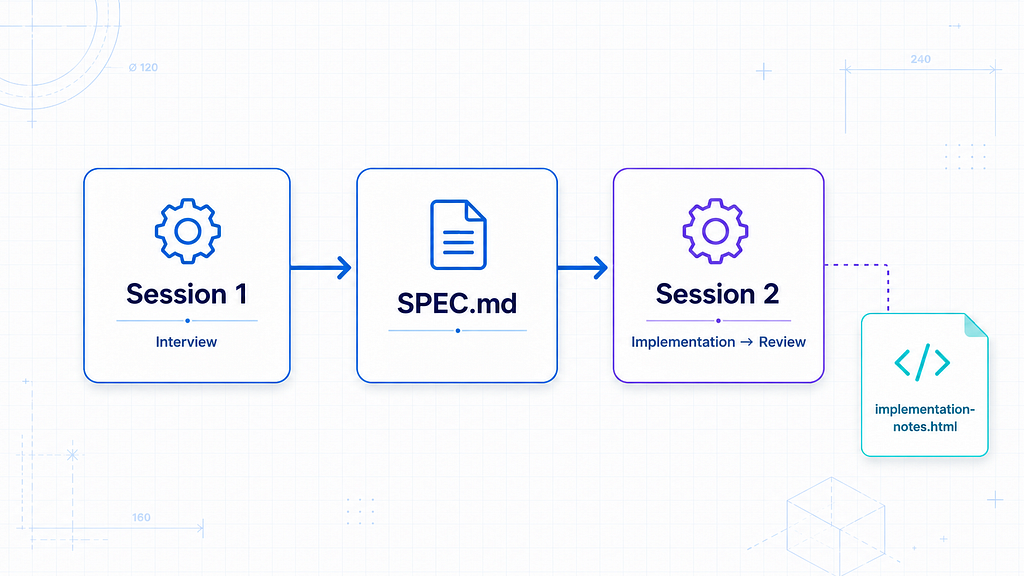
The actual pattern the one the docs describe and the viral prompts on AI Twitter point at is two prompts, two sessions, one HTML artifact alongside the code. That is it. No framework. No new tool. No course to buy.
This post is the full step-by-step guide for both Claude Code and Codex, so you can run it tonight on a real project and see the difference for yourself…
The Pattern, In One Diagram
The spec-driven workflow is genuinely simple.
you → [Session 1: Spec Interview]
            ↓
       fully fleshed SPEC.md
            ↓
       [Session 2: Implementation]
            ↓
       code + implementation-notes.html
            ↓
       you read the notes, then read the diff
The interview forces the questions you would not have thought to ask. The implementation notes capture every decision the agent makes that you did not see happen
You go from “I told the agent what I wanted and hoped” to “I have a written record of every interpretation, every deviation, every trade-off the agent made on my behalf.”
The Two Prompts That Power All Of This
The Interview Prompt:
Read this @SPEC.md and interview me in detail using the
AskUserQuestionTool about literally anything: technical
implementation, UI & UX, concerns, tradeoffs, etc. but
make sure the questions are not obvious — be very in-depth
and continue interviewing me continually until it's complete,
then write the spec to the file.
The Implementation Prompt:
Implement <SPEC>. As you work, maintain a running
implementation-notes.html file that captures anything I
should know about how the implementation diverges from
or interprets the spec, including:

- Design decisions: choices you made where the spec was ambiguous
- Deviations: places where you intentionally departed from the spec, and why
- Tradeoffs: alternatives you considered and why you picked what you did
- Open questions: anything you'd want me to confirm or revise
Why HTML And Not Markdown
The implementation-notes file is .html, not .md. There is a real reason for this:
- Markdown over a hundred lines is unreadable for humans
- Markdown’s main selling point (you can hand-edit it) does not apply when an agent is the editor
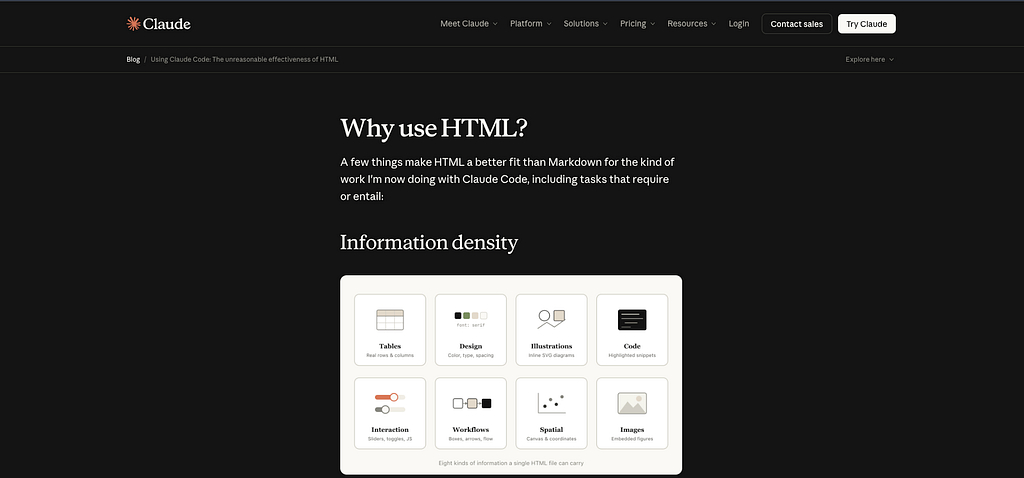
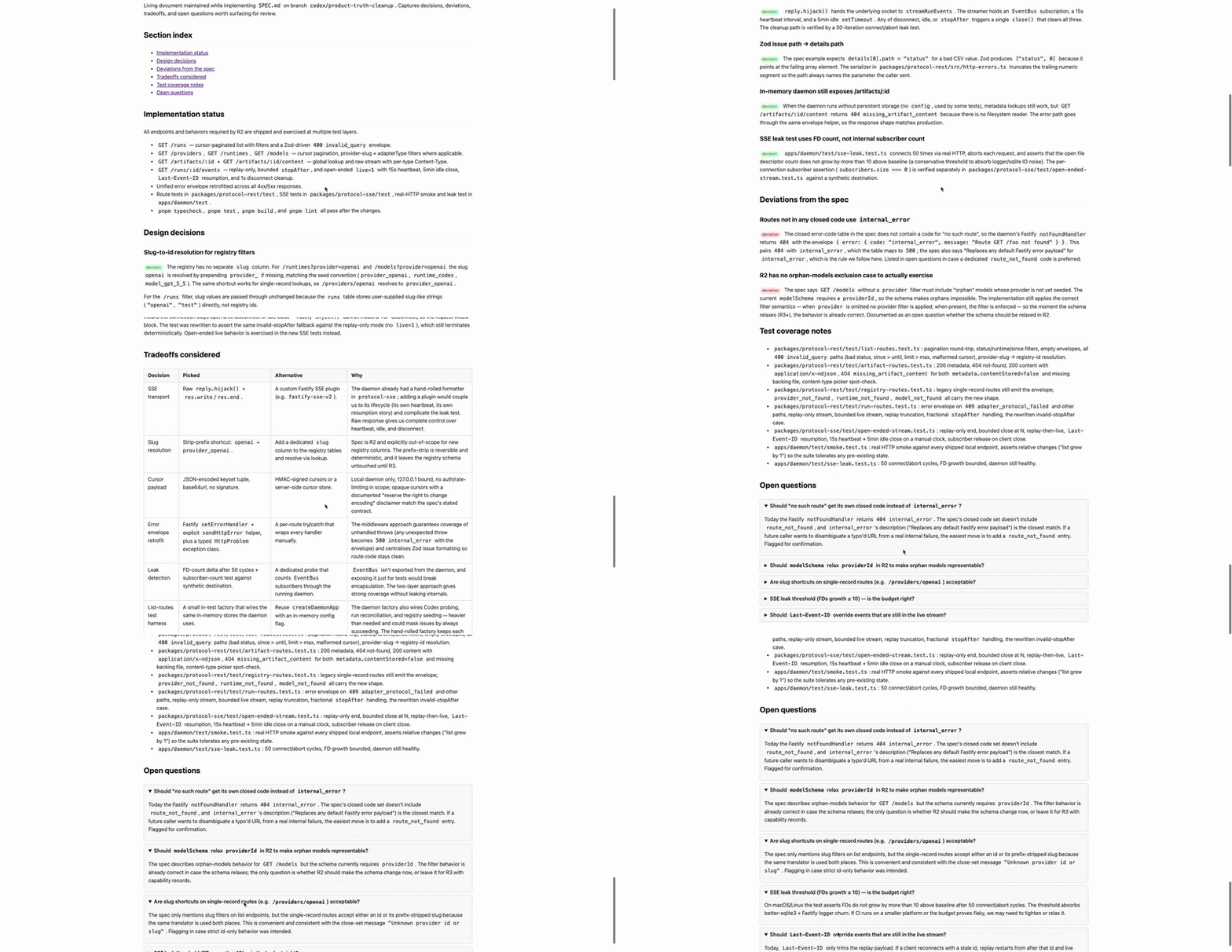
- HTML can carry diagrams, tables, collapsible sections, interactive playgrounds markdown cannot
- “The chance of someone actually reading your spec, report or PR writeup is much much higher if it’s in HTML”
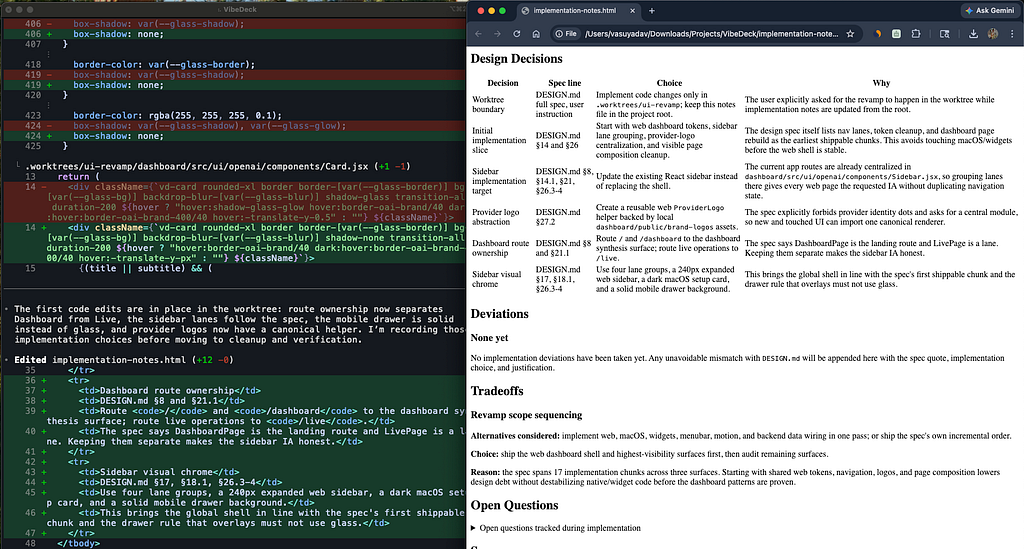
The first time I had Claude Code write implementation-notes.html alongside an actual implementation, the file came back with a proper table for design decisions, color-coded deviation blocks, and a collapsible “open questions” section at the bottom.
I opened it in a browser and read it like a document, not like notes. I caught two interpretation drifts I would have missed in a markdown bullet list.
The format change is not aesthetic. It is a forcing function for the agent to organise its own decisions in a way you can actually audit.
What Anthropic Put In The Docs
If you think this is hype, look at what Anthropic shipped in their official guidance for Opus 4.7. The Claude prompting best practices, updated alongside the 4.7 launch, now explicitly recommends:
“Track your confidence levels in your progress notes to improve calibration. Regularly self-critique your approach and plan. Update a hypothesis tree or research notes file to persist information and provide transparency.”
That is SPEC pattern written into the canonical documentation.
The same page also covers two adjacent practices that pair with this workflow:
- A <default_to_action> system prompt block that tells Claude to implement changes rather than only suggesting them, with a complementary <hesitant> block for the opposite behavior
- An explicit warning about Opus 4.6 and 4.7 spawning subagents too aggressively, with the recommendation to give the model a “principled implementation” prompt that pushes back against premature decomposition
Anthropic is not just shipping the model. They are shipping the prompting culture around it. If you want to know where Claude Code is heading, watch what the Anthropic team is hinting at on X. The features they post about this month tend to land as patterns in the docs next month and as built-in slash commands the month after.
How To Actually Run This (Claude Code Setup)
This is the step-by-step you can run tonight on your own machine.
Step 1: Save the interview prompt as a slash command
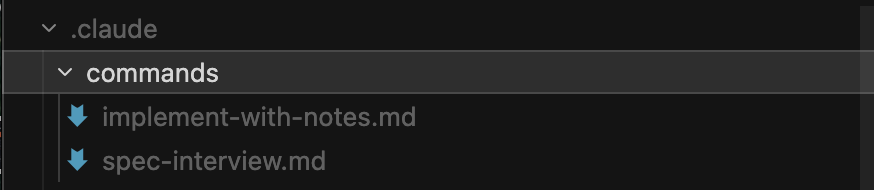
Inside your project create the file .claude/commands/spec-interview.md:
---
description: Interview me to flesh out a spec file
---

Read this spec file: $1

Interview me in detail using the AskUserQuestionTool about literally
anything: technical implementation, UI & UX, concerns, tradeoffs,
edge cases, failure modes, scope boundaries. Make sure the questions
are not obvious - go in-depth. Continue interviewing me continually
until the spec is complete, then write the final spec back to the file.
Step 2: Save the implementation prompt as a second slash command
Create .claude/commands/implement-with-notes.md:
---
description: Implement a spec while logging decisions to HTML
---

Implement the spec in: $1

As you work, maintain a running `implementation-notes.html` file in
the same directory that captures anything I should know about how
the implementation diverges from or interprets the spec, including:

- Design decisions: choices you made where the spec was ambiguous
- Deviations: places where you intentionally departed from the spec, and why
- Tradeoffs: alternatives you considered and why you picked what you did
- Open questions: anything you'd want me to confirm or revise

Use real HTML structure: tables for tradeoffs, headings for sections,
collapsible details elements for the open questions block. Make it
readable in a browser, not just in a code editor.
You now have two slash commands available in Claude Code.
Step 3: Create a minimal spec file
In your project root, create SPEC.md with one paragraph describing the feature you want to build. Genuinely one paragraph. Do not over-write it. The point of the interview is to fill it in.
# SPEC: Newsletter Signup Form

Build a newsletter signup form for the marketing page that
captures an email, optionally a name, and forwards the entry
to our existing Mailchimp list. Should match the existing
design system. Should be accessible. Should not require a
new backend route.
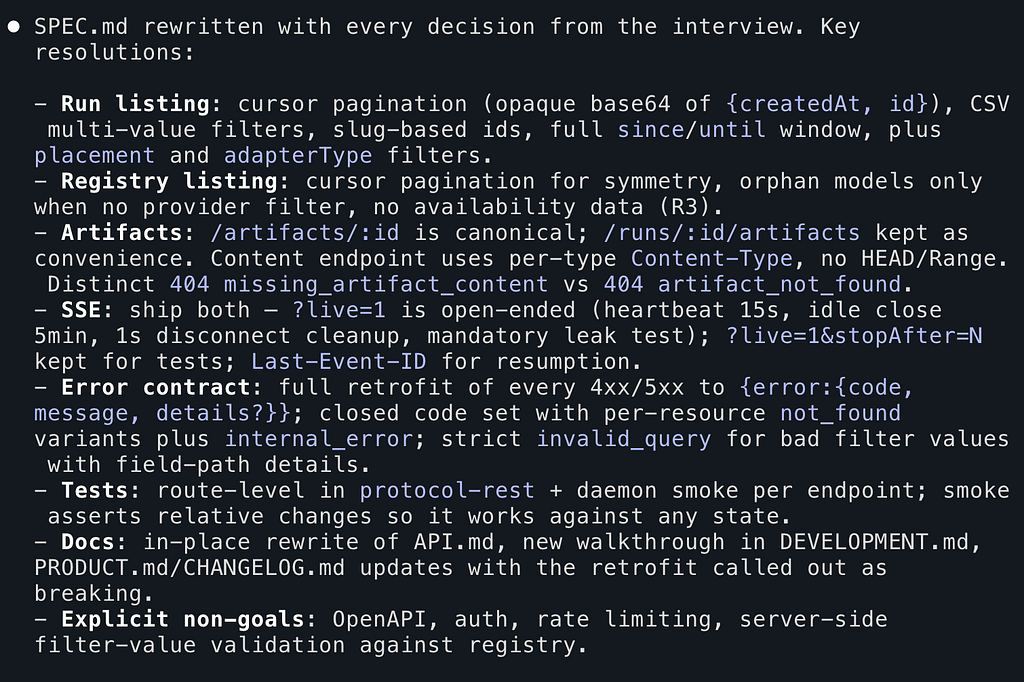
Step 4: Run the interview in Session 1
Open Claude Code and Run:
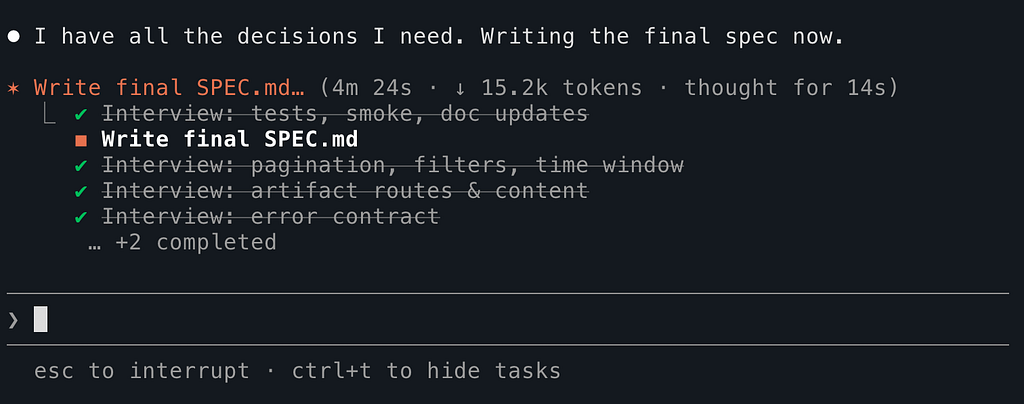
/spec-interview SPEC.mdClaude will start asking you QUESTIONS!
Real questions…. What is the failure mode if Mailchimp is down do we queue the signup locally or fail visibly? _Do you need GDPR consent capture? If yes, what jurisdiction?_Should the form be inline on the marketing page or a modal triggered by a CTA?
For a non-trivial feature, expect 25 to 40 questions before it is done.
Answer each one carefully. The quality of the final spec is the quality of your answers. Vague answers produce vague specs which produce broken implementations.
When Claude says it has enough, it writes the final spec back to SPEC.md. Close the session. Do not reuse it for implementation. The interview session is now polluted with context that will hurt the implementation phase.
Step 5: Implement in Session 2
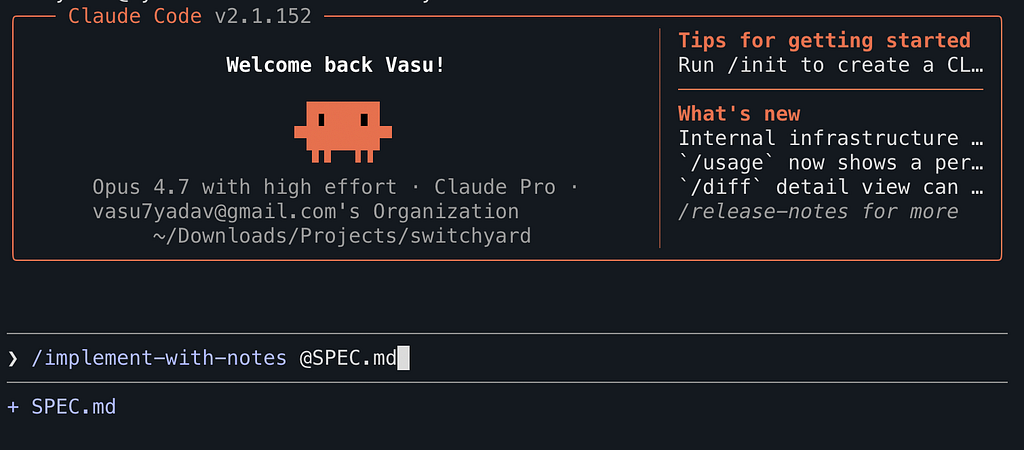
Open a fresh Claude Code session. Run:
/implement-with-notes SPEC.mdClaude reads the now-completed spec, opens implementation-notes.html alongside the code, and starts implementing. As it makes decisions “the spec said ‘accessible’ but did not specify WCAG level, I am assuming AA” it logs them into the HTML file.
When the implementation is done, you have two artifacts:
- The code itself (a diff you can review)
- The implementation-notes.html file (an explanation of every choice made)
Step 6: Read the notes before the diff
This is the inverted habit that takes a few projects to internalise.
Old way: read the diff, try to figure out what the agent did.
New way: open implementation-notes.html in a browser, read the “Deviations” and “Open questions” sections first, then open the diff knowing what to look for.
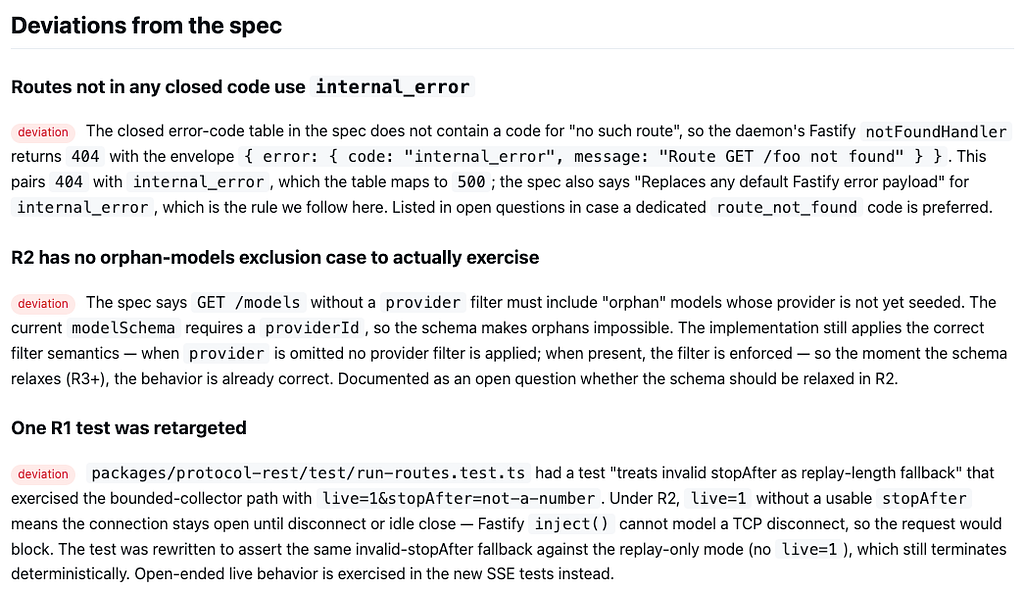
It feels backwards. **It is NOT…**The agent telling you what it decided is faster than you reverse-engineering it from the code.
How To Actually Run This (Codex Setup)
The Codex version uses the native primitives OpenAI shipped AGENTS.md hierarchy, Skills, /review, and codex exec for automation.
Step 1: Set up your AGENTS.md hierarchy
Codex walks a hierarchical context tree. Global → project → nested. Set it up once and every future session inherits the rules or you can keep it project-scoped as well…
In ~/.codex/AGENTS.md (applies to every project on your machine):
# Global Agent Rules

## Working agreements
- Always run tests before claiming a task is complete.
- Prefer pnpm when installing dependencies.
- If you encounter a spec file at `./SPEC.md`, read it before starting work.

## Output conventions
- Write running notes to `implementation-notes.html`, not markdown.
- Use real HTML - tables for tradeoffs, collapsible details for open questions.
In your project root AGENTS.md:
# Project Instructions

## Stack
- Node 22, TypeScript strict, Vitest for tests.
- Run `pnpm test` before any PR.

## Spec discipline
- All non-trivial features start with a spec in `specs/YYYY-MM-DD-name.md`.
- Read the most recent spec in `specs/` before starting a new session.
This is the substrate. Codex picks both up automatically, merges them root-down. Every session you run from now on knows what kind of project it is in.
Step 2: Build a Codex Skill for the spec interview
In Codex, the equivalent of a Claude Code slash command is a Skill. Create ~/.codex/skills/spec-interview/SKILL.md:
---
name: spec-interview
description: |
  Use when the user says "interview me", "let's spec this out", "build a spec",
  or wants to flesh out a feature before implementation. Asks 5-10 questions
  per round, in rounds, until the spec is complete. Writes the spec to a
  markdown file under specs/.
---

# Spec Interview

When invoked:

1. Identify the target spec file. If the user provided one, use it.
   If not, ask which feature this is for and create
   `specs/YYYY-MM-DD-<slug>.md` with today's date.

2. Read the existing spec and the project's AGENTS.md hierarchy
   to understand the codebase conventions.

3. Interview the user in rounds of 5 questions. Each round must include:
   - 1 question about user/problem clarity
   - 1 question about scope boundary
   - 1 question about failure modes
   - 1 question about technical interpretation
   - 1 question about deferred decisions

4. After each round, write the user's answers into the spec file.
   Then ask if the user wants another round.

5. Continue until the spec covers: user/problem, scope, acceptance
   criteria, failure modes, dependencies, open questions, deferred items.

6. Write the final spec to the file. Stop. Do not start implementing.
The 5-questions-per-round pattern is mine. I have been running it for a few weeks and it works better than the open-ended “interview continually until done” framing rounds give the user a natural pause point, mixed question types stop the model from getting stuck on technical depth and forgetting product clarity.
Step 3: Build a Codex Skill for implementation with notes
Create ~/.codex/skills/implement-with-notes/SKILL.md:
Step 4: Run the interview phase
codex
> Run the spec-interview skill on specs/2026-05-20-newsletter-signup.md
Codex starts asking you questions in rounds of five. Answer each round. Codex writes the spec.
Close the session.
Step 5: Run implementation in a fresh session
codex exec --full-auto --sandbox workspace-write \
  "Run the implement-with-notes skill against specs/2026-05-20-newsletter-signup.md"
codex exec runs non-interactively in a fresh session. No context bleed from the interview. The implementation lands in your repo alongside implementation-notes.html
Step 6: Use Codex’s built-in /review
This is the part Claude Code does not match cleanly.
codex
> /review the changes since the last commit
A separate Codex agent reviews your code with no context from the implementation session. Built-in. No plugin, no skill, no slash command to write yourself.
Step 7: The bonus move: automate it with GitHub Actions
Once codex exec is in your local workflow, the same thing runs in CI.
Create .github/workflows/spec-auto-impl.yml:
name: Spec Auto-Implementation
on:
  push:
    paths:
      - 'specs/**.md'
jobs:
  draft-impl:
    runs-on: ubuntu-latest
    steps:
      - uses: actions/checkout@v4
      - name: Install Codex CLI
        run: npm i -g @openai/codex
      - name: Run implementation pass
        env:
          OPENAI_API_KEY: ${{ secrets.OPENAI_API_KEY }}
        run: |
          codex exec --full-auto \
            "Run implement-with-notes skill on the most recent spec in specs/. \
             Open a PR with the implementation and the notes file."
A spec lands in your repo. CI runs Codex against it. You wake up to a PR with the implementation and implementation-notes.html already attached.
You review the notes, scan the diff, merge or send back for revision.
This is the part of the spec-driven workflow that goes beyond clever prompts. A spec is only useful if implementing it is cheap. Codex’s exec subcommand makes implementation cheap enough to automate.
Claude Code vs Codex: Where Each One Wins
I run both. Honestly, both are good at different parts of the pattern. Here is the trade-off matrix:
The honest summary:
Claude Code is better at the interview phase because AskUserQuestionTool is a dedicated UI primitive that gives you structured dropdowns instead of plain text prompts.
Codex is better at the automation phase because codex exec, AGENTS.md hierarchy, and built-in /review make the workflow scriptable end-to-end without writing your own glue.
If you use both, run interviews in Claude Code and implementations in Codex. The best of both worlds.
If you use one, pick based on which phase matters more for your workflow. Interactive solo work → Claude Code. Team workflows with CI integration → Codex.
The Real Shift Underneath All Of This
Strip the slash commands and the file paths away and the methodology is doing something simpler than it looks…. It is making the agent’s thinking legible..!
Two years ago we ran agents like we run search engines, type a question, read the output, move on. We did not ask the agent why it chose what it chose. We did not save its reasoning. We did not audit its trade-offs. The agent was a black box that produced code and the CODE was the only artifact that mattered.
The spec-driven pattern flips that.
The thinking becomes the artifact… The code is just one of the deliverables. The spec is another. The implementation notes are another. The decision log is another.
Together they are a record of why your software is the way it is…!!
That has not existed in software engineering before….
Forty years of code without a record of why. Forty years of engineers leaving a company and taking the reasoning with them while the code stayed behind. Forty years of new hires reverse-engineering decisions from git blame and tribal knowledge.
That just ended.
The pattern in this post is not really about Claude Code or Codex or any specific provider. It is about the moment when the agent’s reasoning became something you can read in a browser. The moment when “why did we do it this way” stops being a mystery and starts being a file in your repo.
It is a small part of the workflow that works with any tool you choose to run it through.
Use it with Cursor or Cline or Roo or Kilo Code the interview and implementation skills load the same way as any other skill in those extensions. Use it with Aider or Continue or Windsurf the patterns translate cleanly because they do not depend on any single tool’s UI primitives. Use it with whatever new agent ships next month. The PATTERN outlasts the tool.
I covered Claude Code and Codex specifically in this post because those are the two I run on real projects every week… It is what I have actually shipped and verified. But the methodology itself is provider-independent. The discipline lives in your workflow, not in the agent…
The tools will keep changing. The model versions will keep moving. The slash commands will get renamed. The artifact will stay…
The decision log is the documentation engineers have been failing to write for forty years…!
It is writing itself now….